
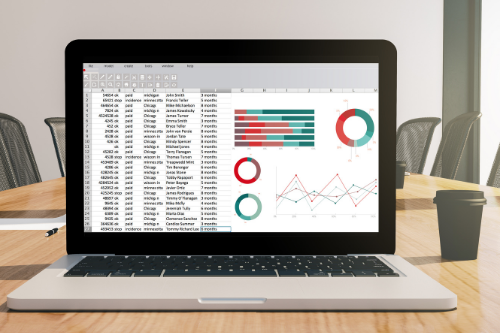
Should you use accounting software or a spreadsheet to track your small business finances?
Over the years my clients have come to me with their financial data in various formats. I have received shoeboxes of receipts which need to be deciphered and compiled. Some clients have given me their spreadsheets in excel, google or occasionally summaries in a word document. Others decided it made sense to use accounting software right at the outset of their businesses.
In many cases, using a spreadsheet is perfectly fine and sufficient for small business or self employed individuals where you simply need a way to determine your income and expenses. There are situations, especially when you are planning to do your own small business accounting, where it can be significantly beneficial to upgrade your record keeping from a spreadsheet to accounting software. I have enumerated some of the factors to consider when determining if your spreadsheet is enough for your accounting needs or whether it is time to upgrade.

Are Gifts to customers and business associates deductible expenses?
Giving gifts to clients or customers can be a great way to build goodwill, foster customer loyalty and differentiate yourself from your competition. Gifts can be anything from a simple bouquet of flowers to something a bit more personalized based on your knowledge of the customer (it can be useful to listen carefully or probe gently to find out what your customers might want as a thoughtful gift can be tremendously impactful). A gift can be given around the holidays, on birthdays, after closing a sale or any other time as a simple thank you. Of course, if you are buying gifts on behalf of your business, it is important to understand if they qualify as tax deductible expenses and it what circumstances.

Guidance on Deducting Home Office Expenses
One of the benefits of having a home based business (for freelancers, self employed contractors and small business owners) is that you can deduct the expenses relating to the space that you use to work. This can result in a reduction in your tax bill for costs that you would incur regardless, which is certainly an incentive to being your own boss.
Criteria for Deductibility:
For home office expenses to be deductible, they have to meet the following criteria:
It has to be your principal place of business i.e. you cannot deduct home office expenses if you have another office that relates to your business, elsewhere, even if you work 22 hours a day or you check your blackberry in bed.
The space designated as your home office is used to earn business income and/or you meet clients or customers on a regular basis. You can deduct expenses relating to the workspace in your garage which is used for home improvement projects.

What is the Difference Between Zero Rated, Out of Scope and Exempt and how do you choose in QBO?
In QuickBooks Online (QBO), the terms "Zero Rated," "Out of Scope," and "Exempt" refer to different classifications of transactions for GST/HST and QST (in Quebec). Each one of these transactions results in $0 tax being added to the transaction, and if you use them interchangeably it is probably not a huge problem. That being said, there are a couple of reasons you might want to ensure that you get this right:
ensure accuracy in their books
avoid the small possibility that an a government (Revenue Canada) auditor might nitpick at it or
make your sales reports more accurate
The differences between the three classifications, which despite their somewhat technical names, are actually not that complicated.

How to Enter Opening Balances in QBO Using a Journal Entry
There comes a time for many small businesses or self employed workers when they decide that their current accounting system is no longer working for them. This can be stressful as learning any new software is often tedious and more importantly you have to ensure proper continuity and a smooth transition.
Small businesses might decide to transition to a new accounting software for a variety of reasons:
You are currently using spreadsheets which have become difficult to manage
Your spreadsheets do not provide the data that you require to properly analyze your business
Your current accounting system is too technical and/or not user friendly
Your current accounting system does not have the features that you require
You want to be able to access your data online rather than through your desktop
See our detailed review on whether QBO is the right online accounting software for your small business

10 Tips for Setting up Your QBO File for the first time
The idea of using an accounting software can be a bit intimidating for some new business owners. Others are put off by the cost when a simple spreadsheet is both free and easy. In some cases a spreadsheet makes sense when you have a simple business with very few transactions per year. However, if your business requires you to invoice your clients and customers , you want to be able to analyze the performance of the business and your time is at a premium, the monthly cost of an accounting software can be well worth it.
Quickbooks Online (QBO) is the most popular software used by small businesses. And while QBO has its pros and cons that should be evaluated before signing up, once you have decided to go ahead with it there are certain best practices that should be followed when setting up your file.

Is QuickBooks Online the Right Accounting Software for Your Small Business?
The search for accounting software can be a confusing and overwhelming process. A Google search for “small business accounting software” yields over 250 million results. Trying to get recommendations from other business owners often results in passionate discussions about why a particular program is great while another one is inadequate and lacks functionality. Your accountant might point you in the right direction, but will sometimes recommend a program that they are comfortable with using, but might be too technical and not necessarily be the best solution for your business. With so many choices out there, it can be difficult to know what to do.

12 Tax Tips for the Self Employed
The self-employed lifestyle holds great promise when you first start being self employed, however you quickly find yourself doing things that you would never have dreamed of. You are expected to take on role of salesperson, market researcher, accountant, lawyer and social media expert, while not getting paid for any of it. Your available funds do not allow for outsourcing and at times you are not even aware of what you don’t know. Luckily the internet provides a wealth of tips and tricks to make these tasks easier, and you might actually find that you enjoy taking on some of these challenges. Ensuring that you keep on top of your finances and tax obligations is among the most important of these tasks for which it is essential to have a system in place so that you can maximize tax deductions, minimize taxes payable and reduce amounts that you have to pay to CRA and RQ.

Accounting and Tax Treatment of Computer Hardware and other Fixed Assets
Investment in capital items such as computers, furniture, equipment and cars can cause confusion for small business owners. Since these are purchases that affect the cash flow of the business, it seems that they should be accounted for as expenses similar to office supplies or rent. There are however special rules for any acquisitions that qualify as “fixed assets”. A fixed asset, simply speaking, is an acquisition that provides a long term economic benefit to the business. In other words, any business purchases that has a useful life that extends beyond one year, will usually qualify as a fixed asset. Below I discuss the accounting and tax treatment of fixed assets.
Excel for Small Business Owners
As a confirmed excel nerd, there is something about large amounts of data that I am inextricably drawn towards . I suppose it has something to do with an affinity for organization combined with a love of numbers and the innate desire to solve problems. As an accountant and financial consultant , I am often presented with the task of organizing and analysing data into a format that allows for greater insight into my clients businesses . And although good accounting software is important for most small business owners, especially once they reach a certain size, a great deal of analysis and reporting is done most effectively in excel.
13 Ways an Effective Accounting System Can Improve Business Decisions
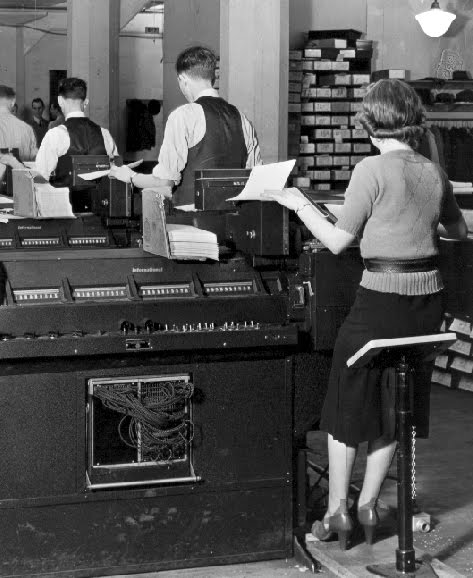
An accounting system can be an extremely powerful tool for business owners. When structured with the specific needs of the business in mind, it has the power (through the magic of debits and credits) to convert data into a format that tells an interactive, completely personalized story about your business. By providing feedback on how your business is doing it allows you to understand its strengths and weaknesses which ultimately helps you to improve profitability, cash flow and growth of your business.
Should You Transition to a Paperless Office (and What CRA Has to Say about It)
Imagine having an office without clutter, free from sad looking boxes and filing cabinets filled to the brim, where you don’t have to rifle through unlabeled containers to find a receipt for a computer that you bought three years ago. . An office where you can make Marie Kondo proud by getting rid of (almost) anything that does not bring you joy and surrounding it instead with items that inspire (or at least improve productivity). This is all possible with a few apps, sufficient digital space and a shift in your mindset and processes.

How to customize a Chart of Accounts for optimal financial reporting
A chart of accounts is the structural framework for any business accounting system. It is analogous to a filing system. If you wanted to, you could dump all your documents into one giant file in your filing cabinet (or a file folder on your computer). Of course, if you did do it this way, you would likely have a hard time locating your documents. Alternatively, you could create a series of folders, based on an organization system that makes sense for you and your business. This type of structure would make it much easier and (as long as you remember your system), much more efficient to find what you are looking for. The more precise your system, the more time you save and the easier your documents become to access. Similarly, a chart of accounts is a type of categorization arrangement for your financial data. You slot everything into a category with the ultimate goal of getting financial reports such as your balance sheet and profit-loss statement that provides valuable info to the business owner as well as the other other stakeholders of the business. It should be noted that while each chart of accounts has commonalities and some specific conventions that should be followed, there is no one size fits all. Consequently, it is important to spend some time thinking about a chart of accounts that fits the profile of your business. If you are using Quickbooks Online, you can read this in conjunction with our article on setting up QBO for the first time and watch my video on working with chart of accounts in QuickBooks Online.

How to Account for Bad Debts and Record it in Quickbooks Online and Desktop
One of the more unpleasant aspects of being a business owner is having to chase clients that do not pay. It is frustrating, stressful and disheartening, while attempts to collect are an unproductive use of time and can have a significant impact on cash flow, particularly if you are unprepared. A bad debt, in accounting terms, refers to an amount charged to a customer that is never paid. While the original sale would have been reflected as revenue, the uncollectible bad debt would then have to be written off as a separate line item on the profit and loss statement

How to determine if your business idea Is profitable
I have spoken to and mentored many lovely entrepreneurs who have wonderfully innovative ideas for a new business. But, as any business owner can attest to, starting a new business is hard work. Before even thinking about launching, you need to ensure that the business is actually viable. You do this by assessing your market, reviewing potential demand for your product and analyzing the competition. Once you have done this, you then need to ensure that your business can be profitable.
In order to determine profitability, you need to understand both the pricing of your products and/or services and the relevant costs. This can be difficult to do especially when you don’t have any history. Your only choice is to estimate based on the best information available. In this article, I give you some guidance on the financial information that you need to compile.